Help · Products and payments
What a class costs, in credits and in dollars
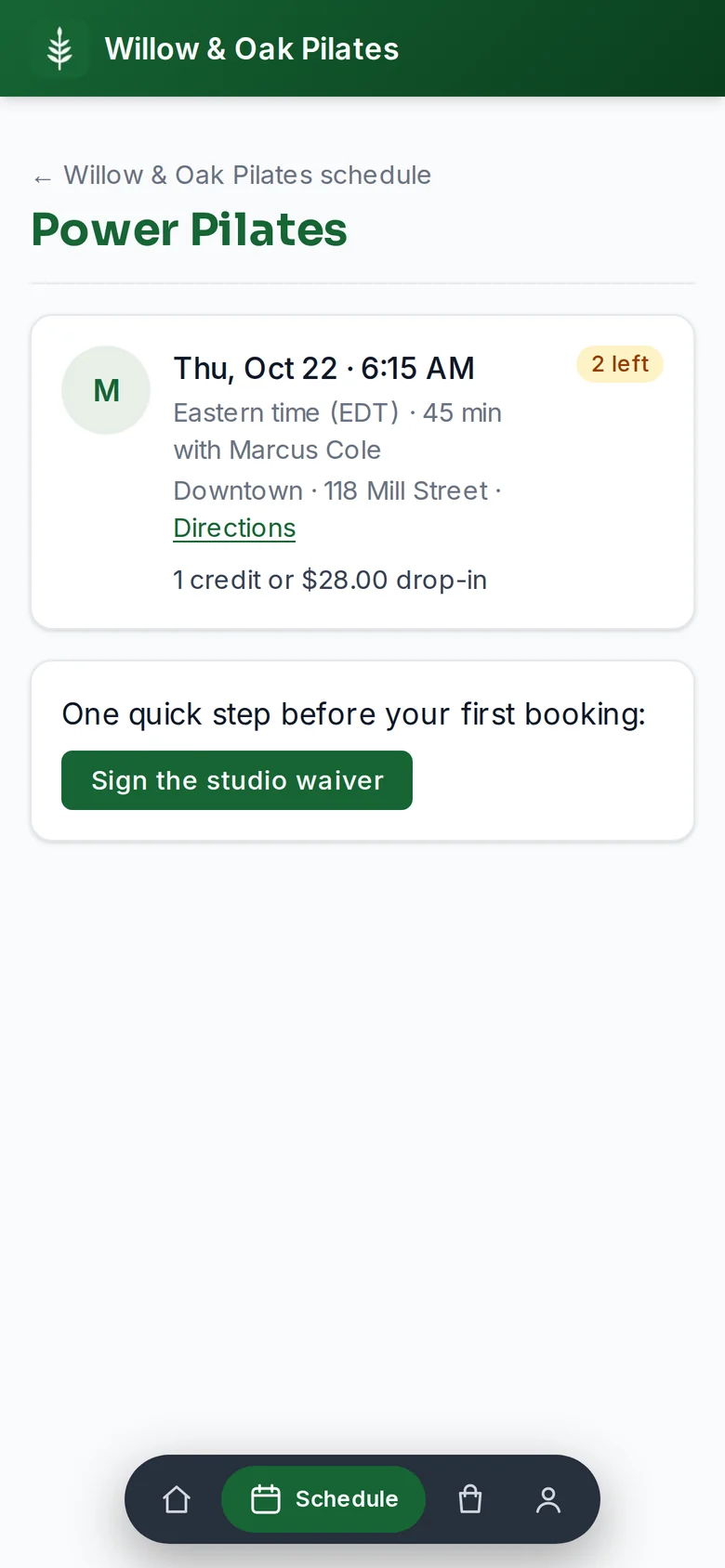
There is one price list. Every class costs a number of credits, and your store's drop-in is what one credit costs on its own. Someone with no credits pays the drop-in, once per credit, so the class page and the store never show two prices for one thing.
Setting it
- On the class template under Money, set what it Costs members. 1 credit is the usual. A class worth more, a long workshop or a private, costs 2 or 3. 0 makes it free to book.
- The line beside it, Someone with no credits pays, reads back the result: for a 2-credit class with a $30 drop-in in the store, $60.
- The drop-in itself is a product: Products, Drop-in. Change its price there and every class follows.
What members see
- On the schedule, each class reads 1 cr · $30.00, or 2 cr · $60.00, or Free class.
- With enough credits, the class page offers Book for 1 credit. Without, it says how many credits they need and have, and offers Pay $30 drop-in & book when payments are on.
- Paying a drop-in goes through Stripe Checkout and the booking is made the moment the payment lands. If the class filled while they were paying, the payment is refunded on its own.
- Canceling a drop-in booking inside the free-cancellation window gives back credits, not cash; the member is told so before paying.
Good to know
- With no drop-in in your store, the class page says that someone with no credits buys a pack. Sell a drop-in to let them pay for one class.
- If you sell more than one drop-in, the cheapest one sets the class price.
- A class made before the one price list carries its own older price until you sell a drop-in; the class form says so.