Help · Members
How the waitlist works
When a full class frees a seat, the waitlist decides who gets it by how close the class is. Far from class, the first eligible person is booked automatically. Near class, they get a claim offer with a time limit instead, so nobody is booked into a class that starts in ten minutes. Inside the release cutoff, the seat simply opens to everyone.
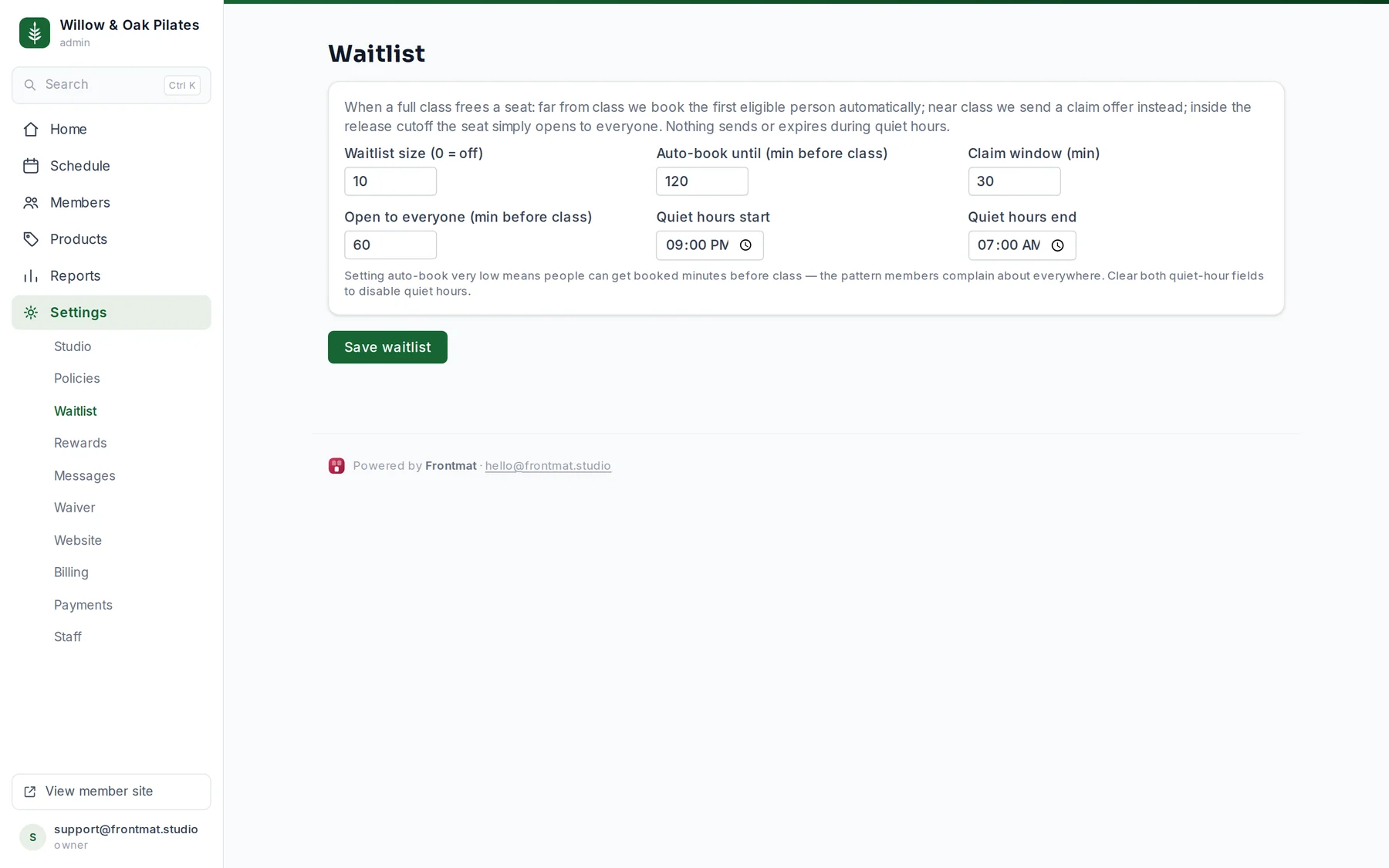
The settings
- Waitlist size: how many can wait per class; 0 turns the waitlist off. Default 10.
- Auto-book until: minutes before class until which the first eligible person is booked automatically. Default 120.
- Claim window: how long a claim offer lasts. Default 30 minutes.
- Open to everyone: minutes before class inside which a freed seat is simply released. Default 60.
- Quiet hours: nothing sends or expires between these times, so no 2 AM texts. Default 9:00 PM to 7:00 AM. Clear both fields to turn quiet hours off.
Setting auto-book very low means people can get booked minutes before class, which is the pattern members complain about everywhere.
What the member sees
- A full class offers Join waitlist, before the booking cutoff and after they have signed the waiver. The class page then says their position, with Leave waitlist.
- Auto-booked: an email (and a text, if they turned texts on) saying they are in, and their credit is used.
- A claim offer: an email and text with the deadline. The seat is not held; the first claim wins. If the window closes, they are removed from the waitlist and told.
- Someone on the waitlist without enough credits is told once and stays in line.
Staff see the queue on the roster under Waitlist, and Home flags a claim with minutes left. A seat you free from the desk by removing a booking goes through the same waitlist.