Late-cancel and no-show fees
A late cancel is a cancellation after the class's free-cancellation window; a no-show is a booked member who never checked in. What either costs depends on the pack or membership the member booked with. The amounts are set once for the studio.
The amounts
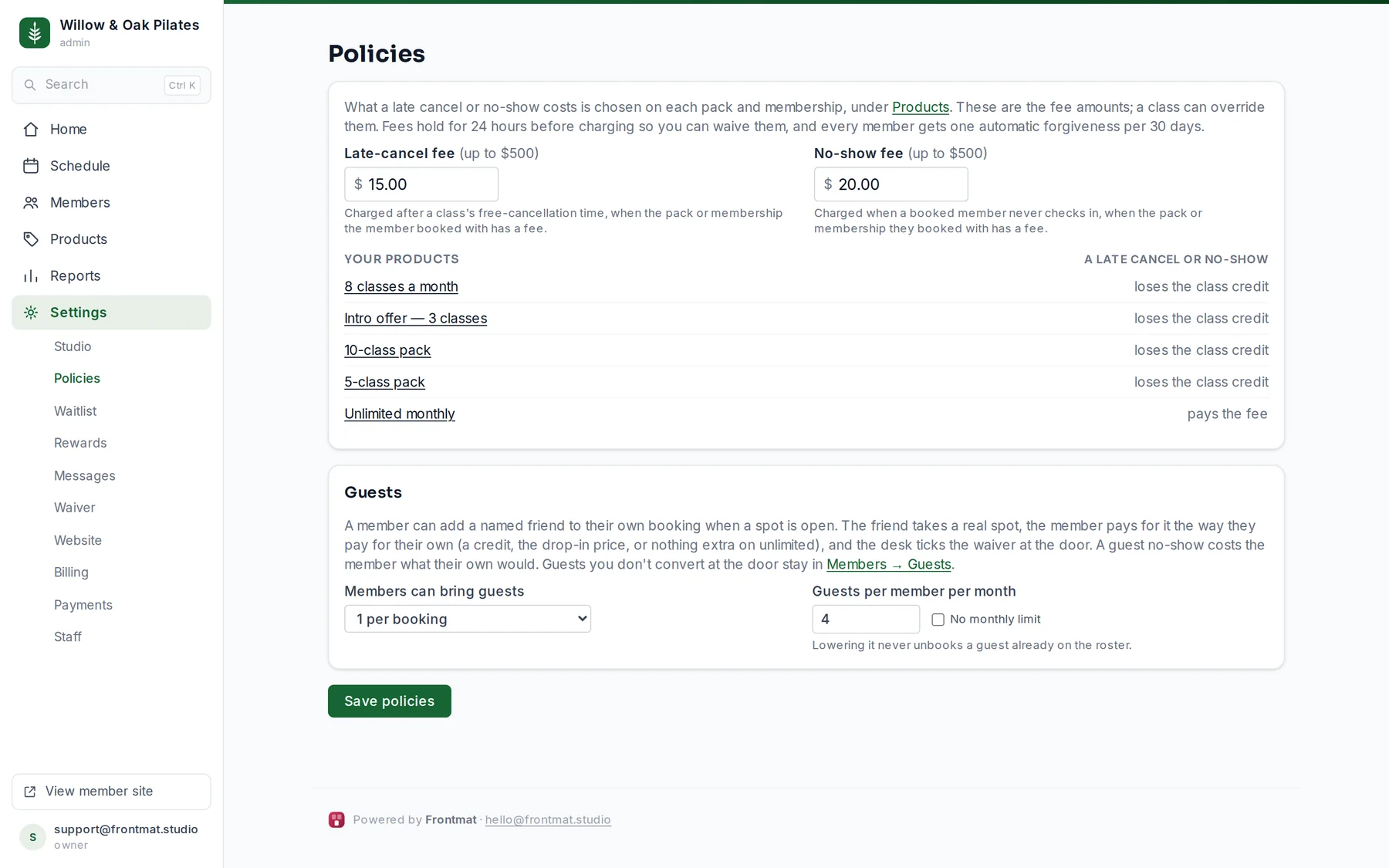
- Open Settings › Policies. Set the Late-cancel fee and the No-show fee, up to $500 each. The defaults are $15 and $20.
- The free-cancellation window is on each class: Free cancellation until, in hours before the class, on the template. The default is 12 hours.
- A class can override the fee amounts: the two optional fee boxes under Money on the template.
Who pays what
Each product carries its own rule, chosen on the product under A late cancel or no-show. The defaults keep the rule most studios use: a pack loses the class credit, and an unlimited membership pays the fee. A pack can be set to pay the fee instead (or as well, or nothing). Settings › Policies lists every product with its rule.
A fee needs a card on file. A membership always has one. A pack with a fee rule saves the member's card at checkout; a member who bought without a card loses the credit instead, so nothing is ever free by accident. Comp and desk bookings, and bookings paid as a drop-in, never get a fee.
How a fee is charged
- The fee holds for 24 hours before it charges. The roster shows fee pending with a Waive button; after that it charges the card and shows fee charged.
- Every member's first late cancel or no-show in 30 days is forgiven on its own, and the member is told so.
- The member sees what canceling now costs before they confirm, and the cancellation message says a fee applies and that the studio can waive it within 24 hours.
- A guest's no-show costs the member who brought them what their own would.
When a charge fails
If the card is declined, Home says fee captures failed and Reports lists each one with Stripe's reason. Retry charges it again; Waive lets it go. The member's record has a Fees tab with the same history.