Leads: everyone who has shown interest
Leads is one list of the people who have shown interest in your studio and have not booked or bought yet. Nothing on it needs tending: every person arrives on their own, every stage is worked out from what they did, and the moment they book or buy they become a member and leave the list.
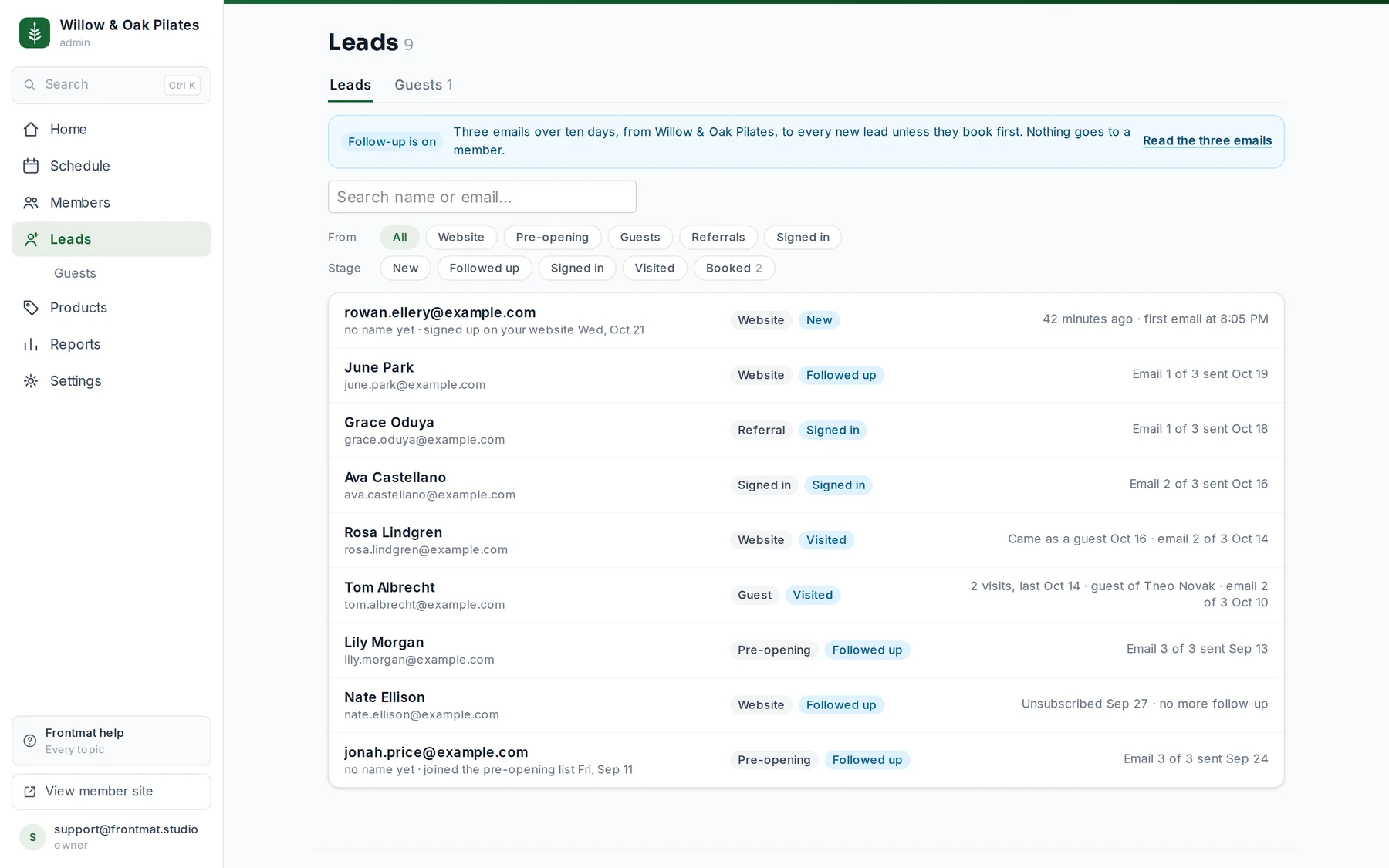
Where leads come from
- Website: someone signed up through the schedule on your own website, or asked to hear when a day opens.
- Pre-opening: before you open, someone joined your pre-opening list, asked for a reminder, or saved a founding spot.
- Guest: a member brought them to a class and gave their email.
- Referral: they opened a member's referral link and signed in.
- Signed in: they signed in on your studio's pages and never booked.
The same person coming by two roads is one lead, matched on their email; their page lists both. Someone who has already booked a class of their own, bought something, has a membership plan or came over in an import is never a lead, and neither is your staff. A person who signed the waiver but has done none of those is both: on Members, and on Leads until they book or buy.
The stages
- New: nothing has gone to them yet.
- Followed up: at least one follow-up email went (see Follow up with leads).
- Signed in: they have an account here but have not booked.
- Visited: they came to a class as a member's guest.
- Booked: they booked or bought, and are a member now. The Booked filter lists them; everyone else on the list is still a lead.
Filter by where they came from (From) and by stage. On a phone the two filters are menus above the list. New this week shows who came in the last seven days, the same people Home's tile counts; the tile opens the list with it on.
A lead's page
Click a row. The page names the person, where they came from and their stage, then shows their Timeline: how they arrived, a guest visit, every email your studio sent them, notes, and the next follow-up email with its time, or what it waits for while follow-up is holding. Beside it:
- A box with two tabs. Email and their first name (owners and admins) writes a message from your studio, signed with your first name; Send as your studio's name sends it. Replies go to your contact email under Settings › Studio, or to you if the studio has none, and it shows on their timeline. Private note is for the desk; leads never see notes.
- Follow-up: how many of the three emails went and when the next goes, with Stop follow-up for this one person.
- Came by: every road they came by, dated.
Once they book, the page says Became a member on the day, and links their member page, where the same timeline continues with their lead days at the bottom.
Guests
Guests moved under Leads: the Guests tab is the guest list that used to sit under Members, unchanged. A guest who left an email is also a lead. See Let members bring a friend.
Who sees what
Staff see the list, the stages, visits and notes. Emails and money stay with owners and admins. The whole list downloads as a CSV under Reports › Exports › Leads. If someone asks to be forgotten, write to us and we delete their record from your studio.