Help · Website and member app
The member app: the address, the phone, and what members see
Your members' app is a website at your-studio.frontmat.studio, in your name, your color and your look. There is nothing to download from an app store; on a phone it installs from the browser and opens like any other app.
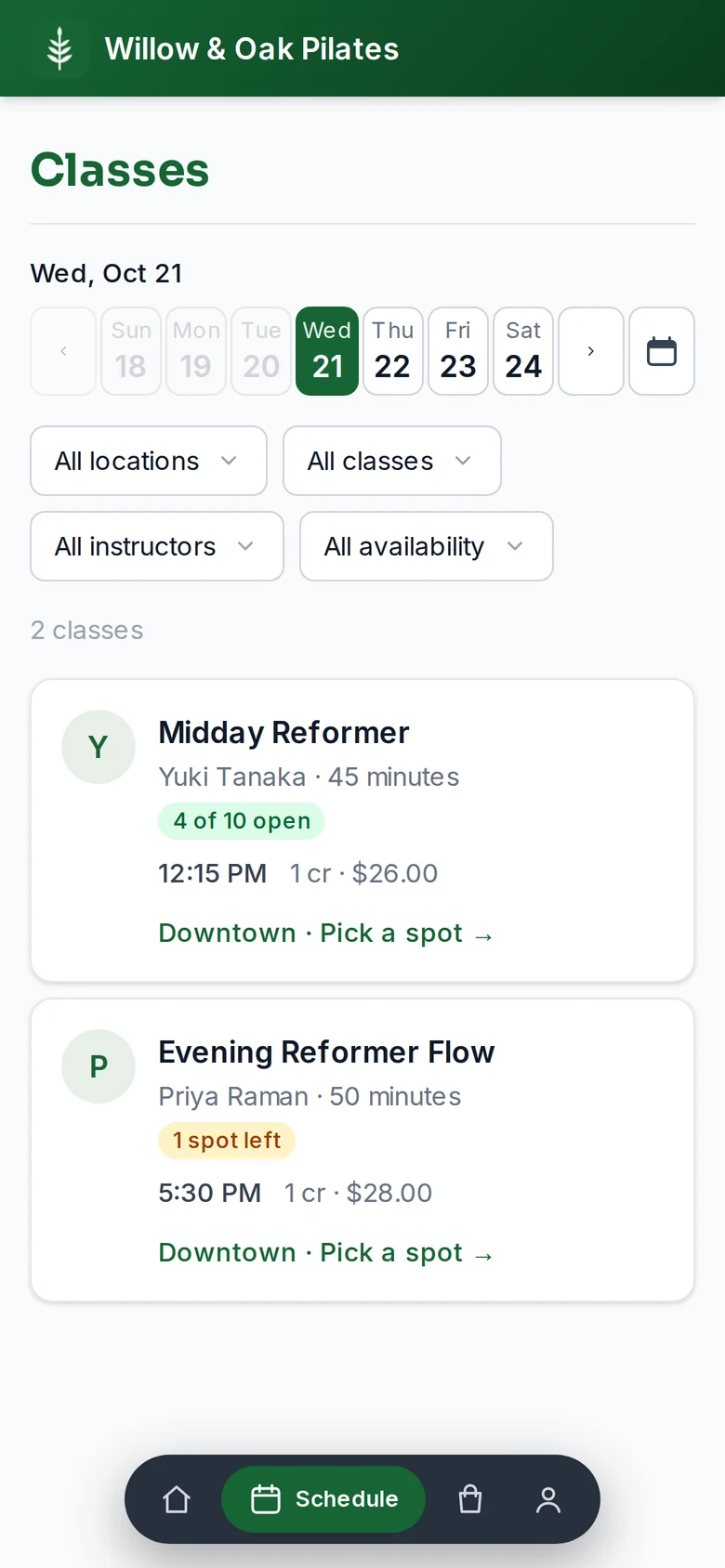
On a phone
- iPhone: open the address in Safari, tap the share button, then Add to Home Screen.
- Android: open it in Chrome, open the menu, then Install app. Chrome also offers it on the account page.
- The icon is your logo, the name is your studio, and it opens on the member's Home: their next class, their credits, and their invite link.
What members see
- Schedule: the week, one day at a time, with filters by class, instructor, location and availability. Each card shows the price in credits and dollars, and spots open.
- A class: the time, the instructor and their bio, the address with directions, the price, and the spot picker for pick-a-spot rooms. Booking takes one tap; the first booking asks them to sign your waiver.
- Home: the next class as a ticket with a countdown, credits and membership, the milestone dial, and Invite a friend.
- Store: your memberships and packs, with Buy or Subscribe once payments are on.
- Account: how they sign in, their membership with Manage for the card and cancellation, and notifications: a mobile number for texts and push per device.
Before you open
The app says Opening with your date, lists the opening week in gray when booking is not open yet, and asks for an email under Get first pick of the schedule. Everyone who leaves one gets a single email the day booking opens, with the first classes and their sign-in link. Put the address in your bio today; the app is the capture.
Good to know
- Members sign in with an email link; there is no password. The link expires in 24 hours and works once.
- Signing in on your website's embed and in the app are separate, so a member may sign in twice. The link they get brings them back to where they were.
- View member site in your admin opens the app signed in as you, which is the quickest way to see what a member sees.
- Texts go only to members who added a number and ticked the consent box; emails always go.