Your studio's name, look, time zone, logo and address
Everything members see as "the studio" lives under Settings › Studio: the name, the color and look of their app, the time zone every class time uses, the logo, and the address and contact details on class pages and emails.
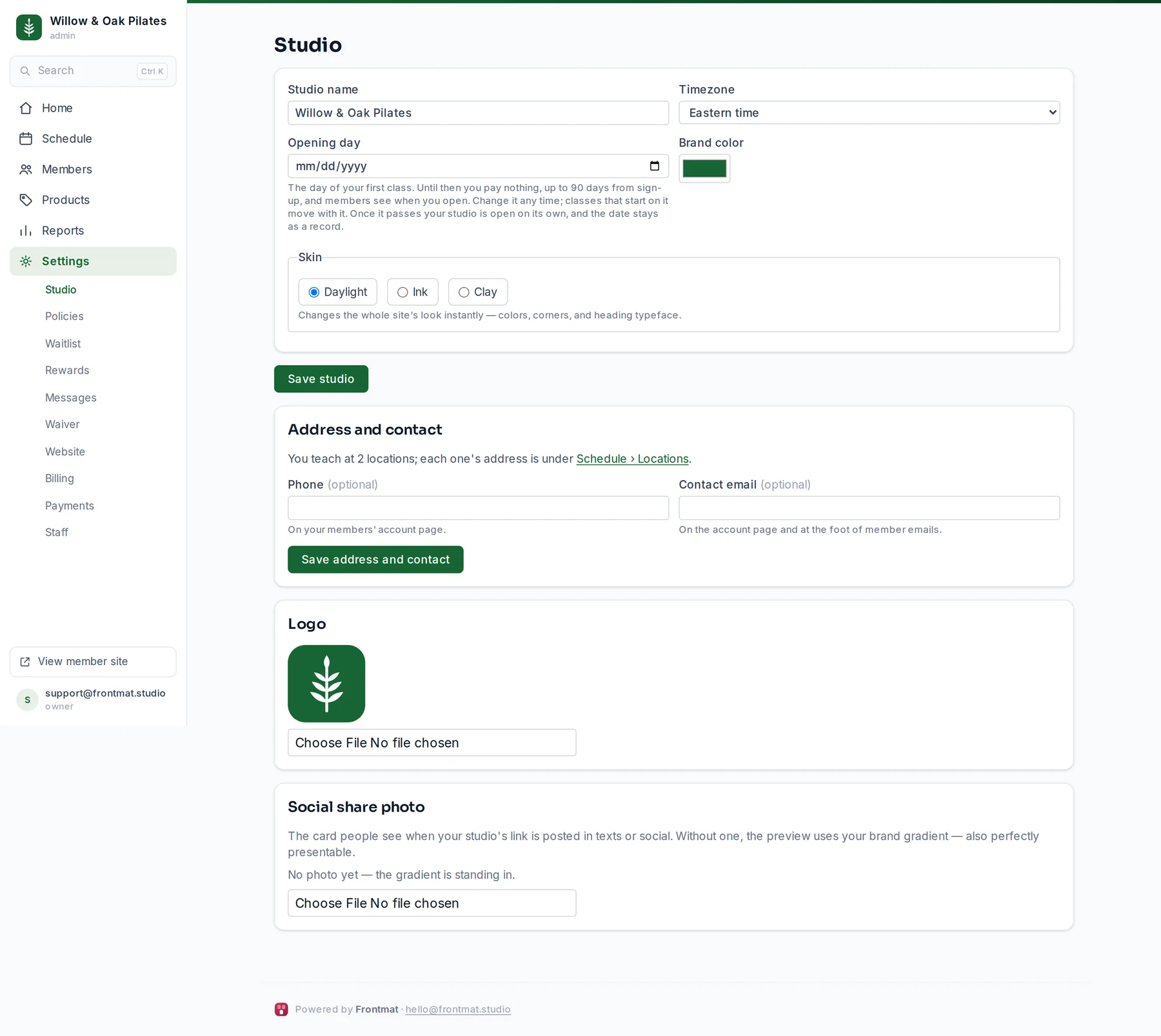
The first card
- Studio name: on the app, in every email, and in the sign-in email's subject.
- Timezone: set it before anything has a time. Class times, reminders and cutoffs use it. It was taken from your browser when you signed up.
- Opening day: the day of your first class, for a studio that has not opened. See Set your opening day.
- Brand color: the app's header, buttons and links. If white text would be hard to read on it, the page says so and suggests a darker shade.
- Skin: Daylight (bright and airy), Ink (bold and dark) or Clay (warm and earthy). It changes the whole app at once: colors, corners and the heading typeface.
Click Save studio. Saving a new color also rebuilds the app icon on members' phones.
Address and contact
Street address goes on every class page, in booking emails and on calendar invites, so members can get directions. Phone and Contact email are optional; they show on the member's account page, and the email at the foot of member emails. Click Save address and contact.
With two or more locations, each one's address is under Schedule › Locations instead.
Logo and share photo
- Logo: PNG, JPEG, WebP or SVG. It becomes the app icon on members' phones and the mark in the app's header. A square works best.
- Social share photo: the card people see when your studio's link is posted in a text or on social. Without one, the preview uses your brand gradient, which also looks fine.