Find a member, grant credits, add a note
Members is the list of everyone who has signed the waiver, been imported, or been added by hand. Type a name or email to search (press / anywhere to jump to the box), or filter with Active 30d, At risk, Lapsed, Staff, No credits and No waiver. Each row says member, at risk or lapsed (see A member's timeline). Guests are under Leads › Guests. The search box at the top of the sidebar finds a member from any page.
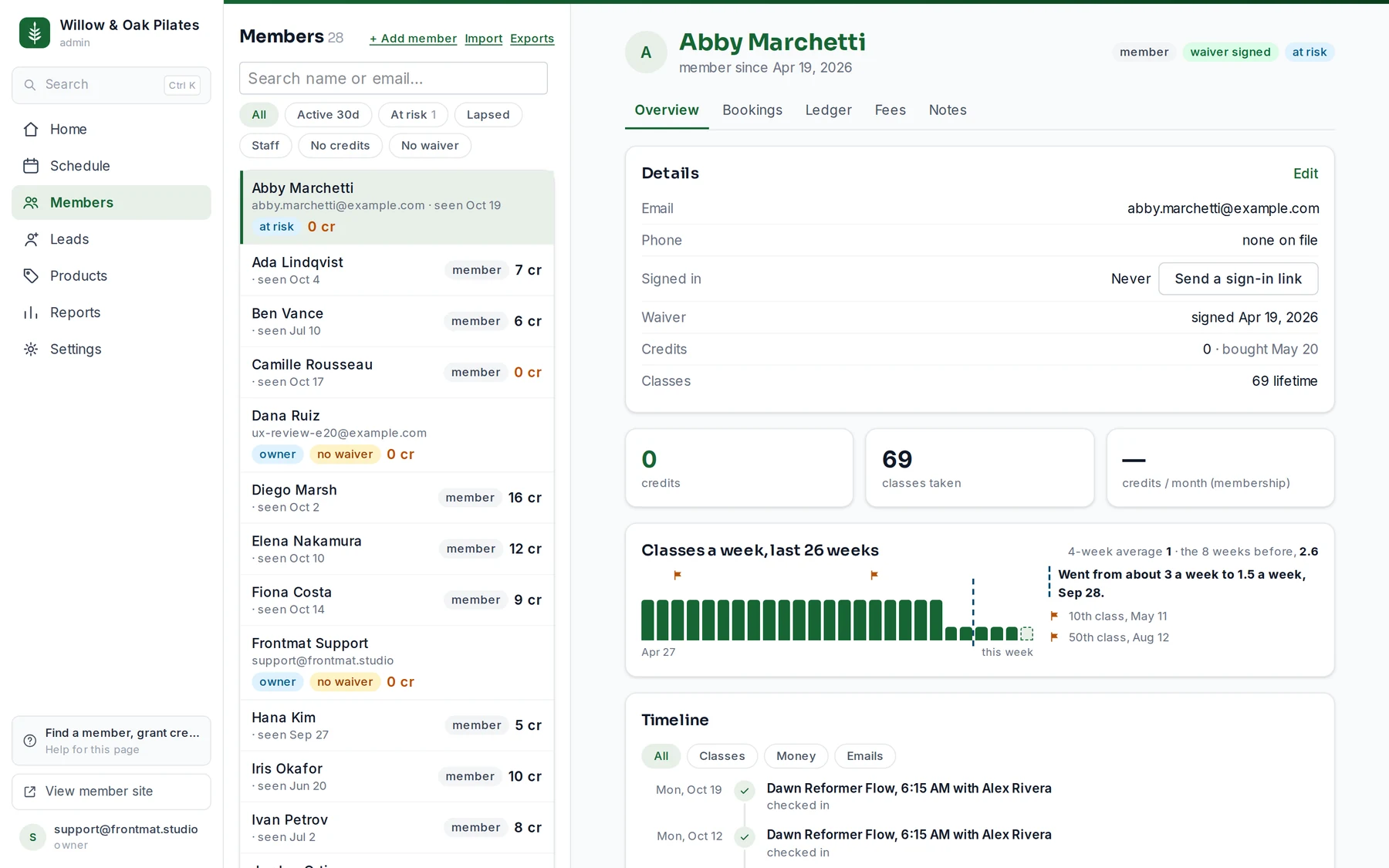
The record
- Details: email, phone, when they first signed in (or Send a sign-in link if never), whether the waiver is signed, their credits and where the latest came from, and classes taken. Edit changes name, email and phone; a new email changes how they sign in.
- Email and Private note: a note to them from you, sent as the studio and kept on their timeline (owners and admins), or a note only the staff see.
- Grant / adjust credits: a number, a reason, Apply. A negative number claws back. Every grant lands in the ledger with your reason.
- Recent purchases: the last few, each with Refund, which takes the credits back and refunds the Stripe charge in full. It works only while the credits are unspent.
- Classes a week: a strip of the last 26 weeks, with a marker where their attendance changed. In their first twelve weeks it starts at their first week and says the dates it will say more.
- Timeline: every class, purchase, email, note and milestone in one dated list, and how they arrived if they were a lead first. See A member's timeline, and how often they come.
- Tabs: bookings, ledger (every credit in and out), fees, and notes: staff-only notes about injuries, preferences, anything the front desk should know. Members never see them.
Booking them into a class
Open the search box, type their name, and choose Book … into a class…. The week schedule opens with them preselected; open the class and click Add on the roster. Attendance is marked on the roster too.
Adding a member by hand
+ Add member: name, email, phone if they want texts, and Credits to start with for a balance they already paid for elsewhere. Tick Email a sign-in link now and they get one email from your studio with your app address. Staff are not members: invite a teacher under Settings › Staff instead.