What Home shows you each day
Home is the morning page. Before your opening day it is a checklist; from the opening day on it is today's classes and the short list of things that need a person.
Before you open
The Ready to open card lists what a studio needs, in order, and ticks each off when it is true: your opening day, your first class, your instructors, your waiver, payments, your packs and memberships, the schedule on your website, and your first member signed in. Each open item links to the screen that does it. A second card, What happens on your opening day, says what changes that morning. The tiles count days to opening, classes in the opening week, new leads this week and how many booked, founding spots left if you sell a founding tier, and members.
After you open
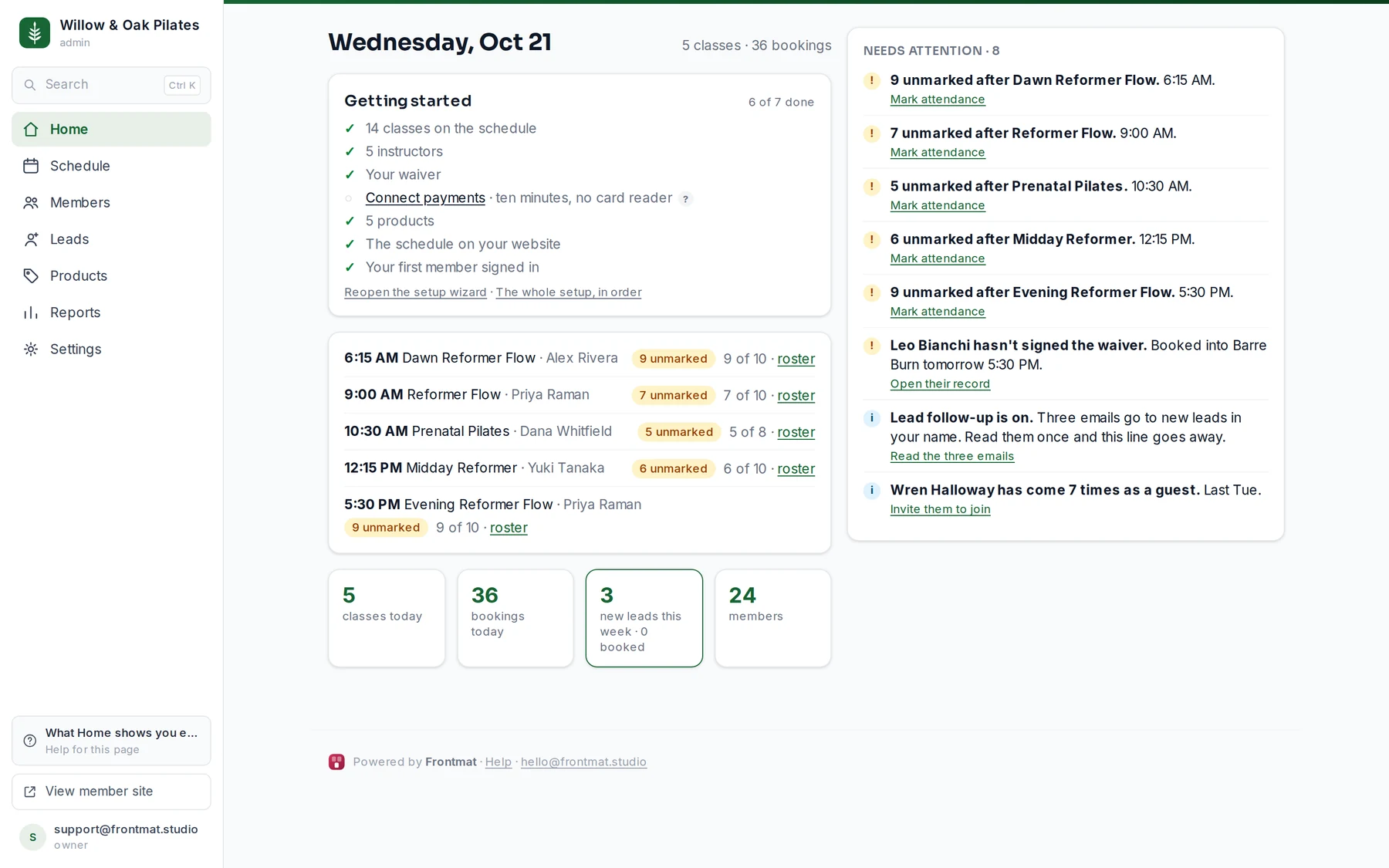
The heading is today's date, with the number of classes and bookings. The tiles count today's classes and bookings, new leads this week and how many of them booked (click it for Leads), and members. Each class lists its time, name and instructor, how many are booked of how many fit (3 of 10 booked), and a roster link. Once a class is over it says ✓ attendance done, how many are still unmarked, or nobody booked. After a class ends, an unmarked badge counts the people on its roster who have no check-in or no-show yet.
Needs attention
The column on the right (first on a phone) holds only things waiting on a person. When it is empty it says All caught up. The items you will see most:
- Unmarked after a class, with a Mark attendance link to the roster.
- Someone hasn't signed the waiver and is booked into a class in the next two days, with a link to their record.
- Fee captures failed, with a link to Reports where you retry or waive them.
- Waitlist claim expiring, when a member has an offer with minutes left.
- Someone has come several times as a guest, with Invite them to join.
- Members coming less often and members who stopped coming in the last month or so, each name a link to their record, where you can email them (see A member's timeline, and how often they come).
- Leads waiting for an email, while lead follow-up is on but holding (no payments, no waiver, booking not open), with the link that fixes it.
- Lead follow-up is on, until you have read the three emails once under Settings › Messages (see Follow up with leads).
- Stripe hasn't enabled charges yet, while Stripe is still verifying your account.
- Before opening: classes dated before your opening day, whether booking is held or open, and a one-line summary of what members are charged and given under your policies.
Good to know
- Reopen the setup wizard under the checklist brings back the three welcome steps any time.
- Nothing on Home emails you. The queue is where to look each morning; the member and lead emails go to members and leads.